Podblender: blend the web into your own podcast feed
I'm excited to share an initial release of Podblender, a side project I've been working on primarily to scratch my own itch. I like the affordances of listening to audio content in a podcast app—it remembers your place in each episode, lets you scrub backwards or forwards 30 seconds, and caches content by downloading (relatively) small audio files. But so much long-form audio content on the web is trapped on platforms (especially lectures, interviews, etc. on YouTube) that are less than ideal for listening.
I built Podblender to move that content to the same app I'm already using every day to listen to podcasts. As an added bonus, it also supports narrating articles from the Web via TTS, so you can clear that backlog of #longreads you've been meaning to get to.
How to use it
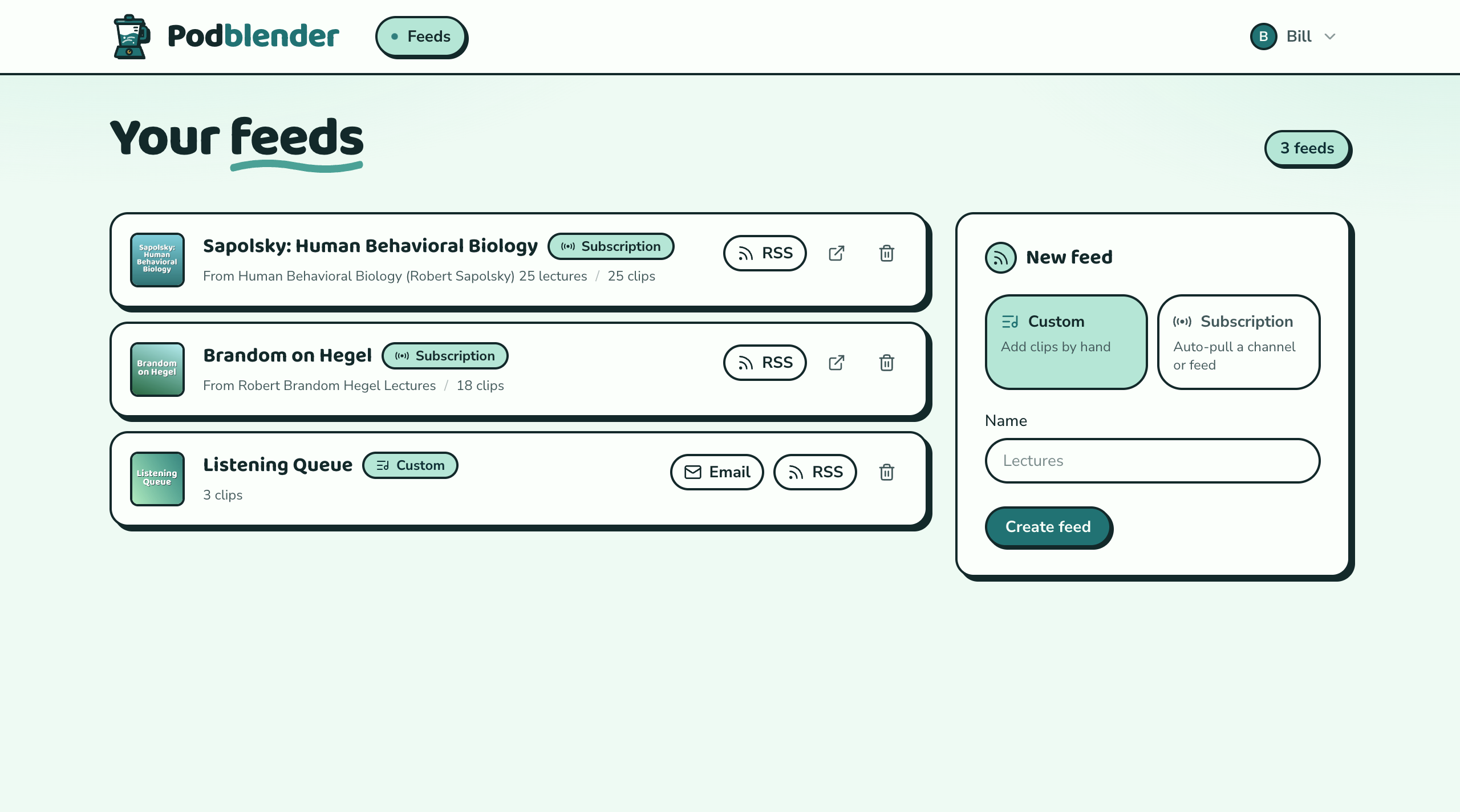
Podblender lets you create either a custom feed for adding individual audio clips, or a subscription. Once you've created a feed, you can copy the RSS link to the podcast app of your choice and subscribe.
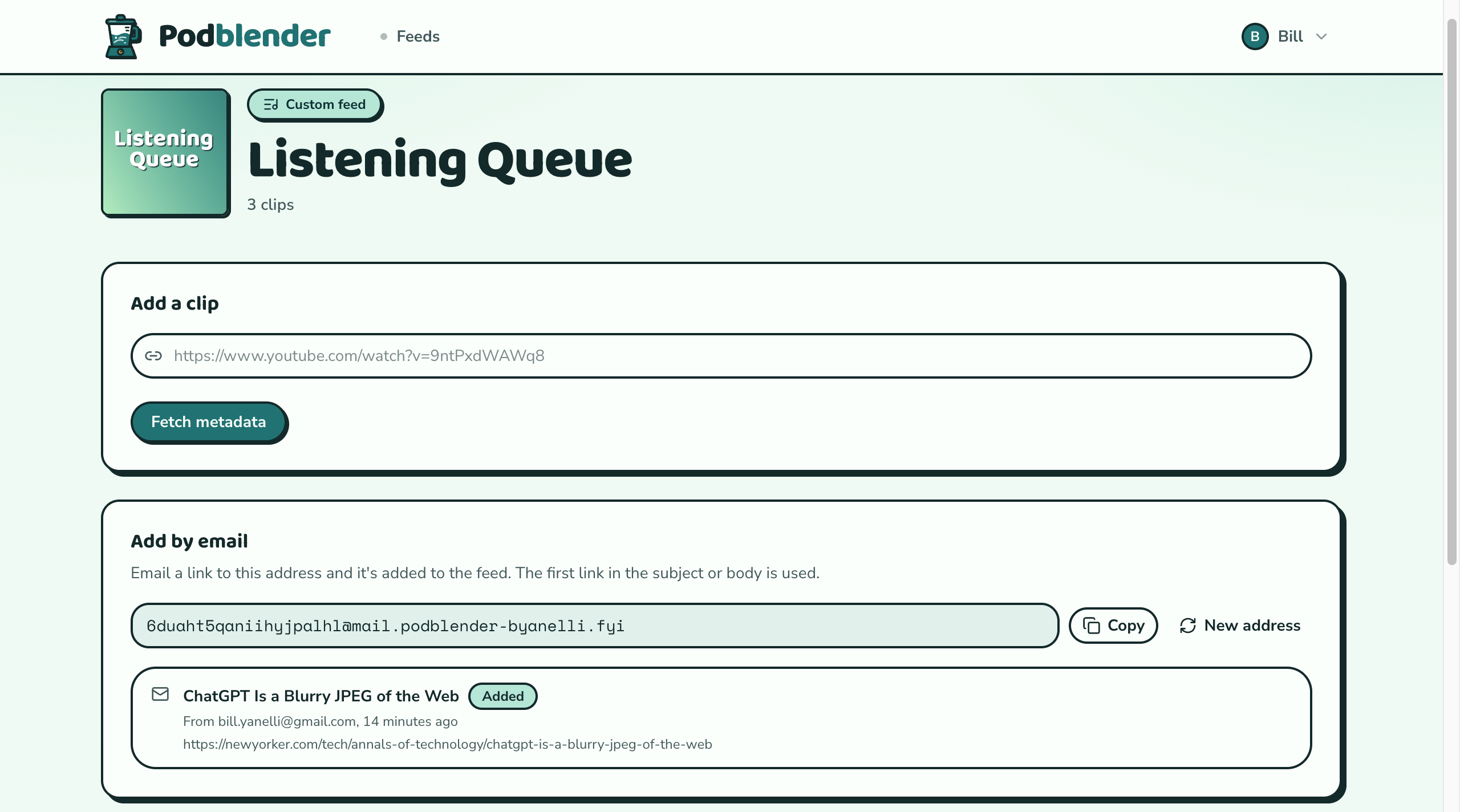
You don't even need to open the app to add a clip to your feed. Each custom feed gets an email address; send it a URL and the clip will be added in the background and show up in your podcast player as soon as it becomes available.
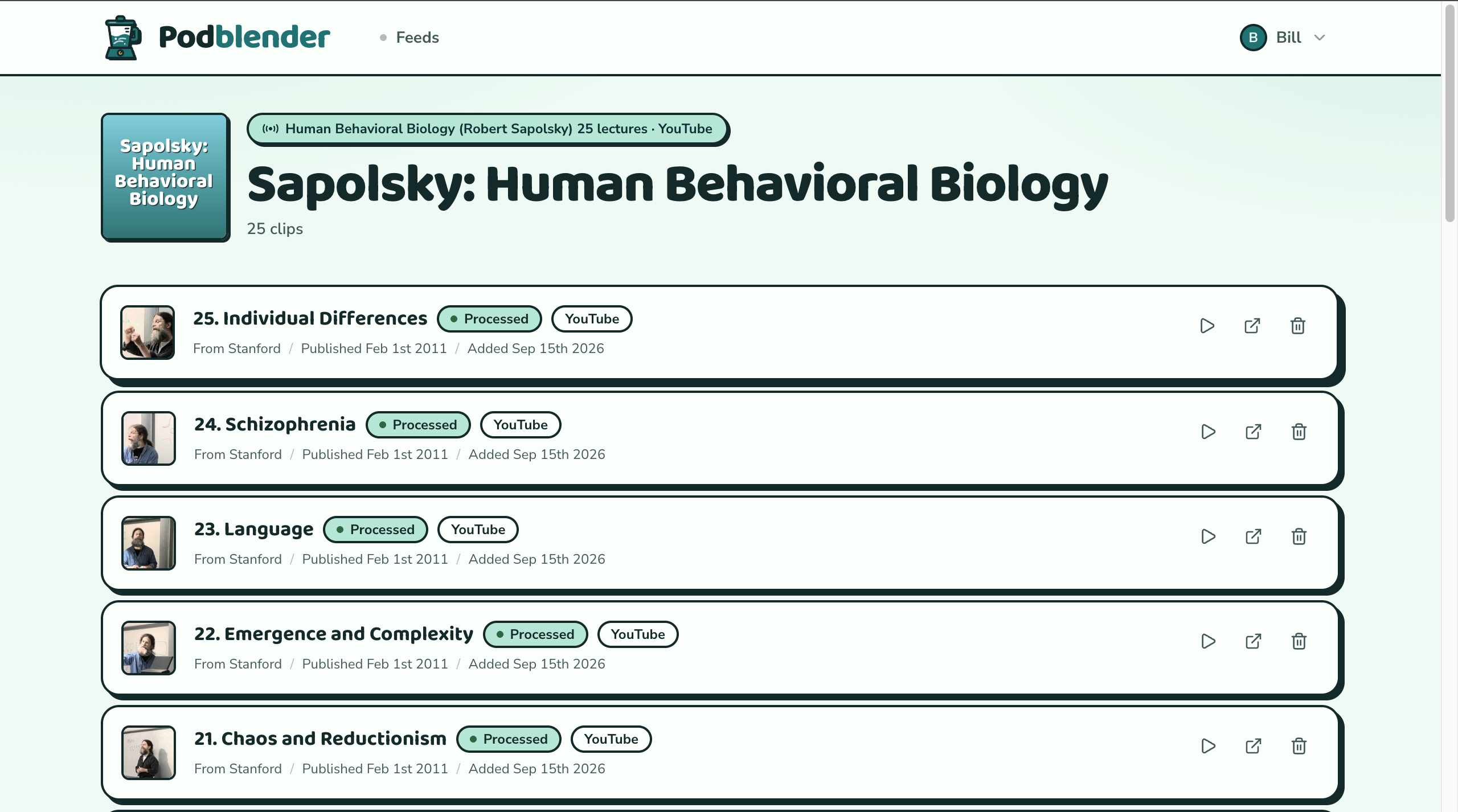
You can also create a subscription feed pointing to a source, such as a YouTube channel or playlist. Subscriptions are automatically polled in the background every two hours.
Supported platforms
YouTube (clips and subscriptions)
SoundCloud (clips and subscriptions)
Web articles (clips and subscriptions via RSS)
How I built it
The stack:
Horizon for queue workers
Redis queue and cache
yt-dlp for scraping YouTube (vendored static binary)
Deno to allow yt-dlp to run JavaScript (vendored static binary)
ffmpeg to transcode audio (vendored static binary)
External services:
Gemini API to narrate articles using Gemini 3.8 Flash-Lite
YouTube Data API to fetch metadata for videos, channels, and playlists
Zyte or Scrapfly to bypass the bot protection on archive.is (which in turn bypasses paywalls)
DataImpulse or Oxylabs to run yt-dlp through residential proxies when direct downloads fail
Resend for sending and receiving email
How to self-host
Since Podblender involves scraping, you'll have to host it yourself. Web scraping is generally legal, but any platform ToS violations are at your own risk.
Unfortunately, because the background jobs to scrape video platforms and narrate articles are long-running, the app is a poor fit for Laravel Cloud. I've had success running my own instance on a VPS.
Steps:
Ensure your server has PHP 8.5+, Composer, Redis, Node, and npm installed. All other dependencies necessary to run the app should be installed as vendored binaries upon running
composer setup. (Supported platforms: Linux x86, Linux ARM, macOS x86, macOS ARM. WSL2 should work but hasn't been tested.)Add API keys to the
.envfor the above-listed external services.Ensure that Horizon, Reverb, and the scheduler are running.
Contributions and feedback
You're invited to contribute and leave feedback on the GitHub repo. Thanks!